"Agentic workflow" is one of the buzzier phrases in AI right now. This guide explains what it actually means, where it genuinely saves SMEs time and how to pilot one without rebuilding your systems.
The short, practical answer for busy SME owners
An agentic workflow is an AI-driven process that carries out multi-step tasks on your behalf. It might be; chasing overdue invoices, routing customer enquiries end to end or compiling a weekly report from three different data sources. For a time-short SME exploring growth, the value is pragmatic: you save staff hours by automating tasks that follow clear rules, processes and data.
That's the short version. The rest of this guide unpacks what the term actually means, how it compares to a chatbot or a basic automation, where it genuinely helps, where it still falls short, and how to run a low-risk pilot without ripping out your existing systems.
What is an agentic workflow?
It's a sequence of actions performed by an AI agent that can perceive its environment, make decisions against rules or goals you define, execute those decisions across one or more systems, and evaluate the results. All with minimal human hand-holding. The word "agentic" simply means the AI has agency: it can act, not just advise.
Contrast that with a standard automation. A platform like Zapier that has a rule that copies a new form submission into a spreadsheet is useful, but it follows a fixed, linear path. An agent-driven process can branch. It can read an incoming email, classify the intent, pull the customer's order history from your CRM, draft a reply, check the reply against your tone-of-voice policy, and send it. It escalates to a human only if its confidence score is low.
The building blocks aren't mysterious. Most systems of this kind combine a large language model (LLM) for reasoning, a set of tools the agent can call (APIs to your CRM, accounting package, email), and a control loop that decides what to do next. Our team builds these in Python alongside C#/.NET Core back-ends, connecting them to whatever systems a client already runs.
Mid-market and SMB companies are growing their AI agent adoption faster year-on-year than large enterprises, according to First Page Sage's report compiled from more than 30 industry surveys. This isn't only a strategic opportunity for large businesses.
How does this differ from a chatbot or basic automation?
A chatbot waits for a prompt, gives a single response, and stops and waits for further direction. A basic automation follows a fixed if-this-then-that rule. An agent-driven process sits above both: it chains multiple steps together, makes decisions at each step, and can loop back to verify its own output before moving on.
Feature | Basic automation | Chatbot | Agentic workflow |
|---|---|---|---|
Trigger | Fixed event (e.g. new row in spreadsheet) | User message | Event, schedule, or user message |
Decision-making | None, follows a set path | Single-turn response | Multi-step, branching logic |
Tool use | One or two integrations | Usually none | Multiple APIs, databases, services |
Self-correction | No | No | Yes, can evaluate and retry |
Human oversight | Not typically needed | User drives the conversation | Human-in-the-loop at confidence thresholds |
The practical upshot for an SME: a chatbot can answer "Where's my order?" but an agent-driven process can look up the order, check the courier API, draft a personalised update, and send it. It only flags a human if instructed to or something looks wrong. That's the difference between answering and doing.
If you want a broader look at the agent landscape and the platforms available, our practitioner comparison of the best AI agents in 2026 covers the options in more detail.
What are real SME use cases for an agentic workflow?
These processes earn their keep on tasks that are repetitive, rule-governed, and spread across multiple systems.
Invoice chasing, step by step
A typical SME spends hours each month on this. Here's how an agent handles it:
Pull outstanding invoices from your accounting software.
Match each against payment records.
Generate a polite chaser with the correct reference and amount.
Send it.
Log the action back into the system.
If a customer replies disputing the amount, the agent escalates to a human rather than guessing. One of the things we learned early from building integration-heavy platforms is that the escalation logic matters more than the happy path. Get that wrong and you erode trust in the first week.
Customer enquiry handling
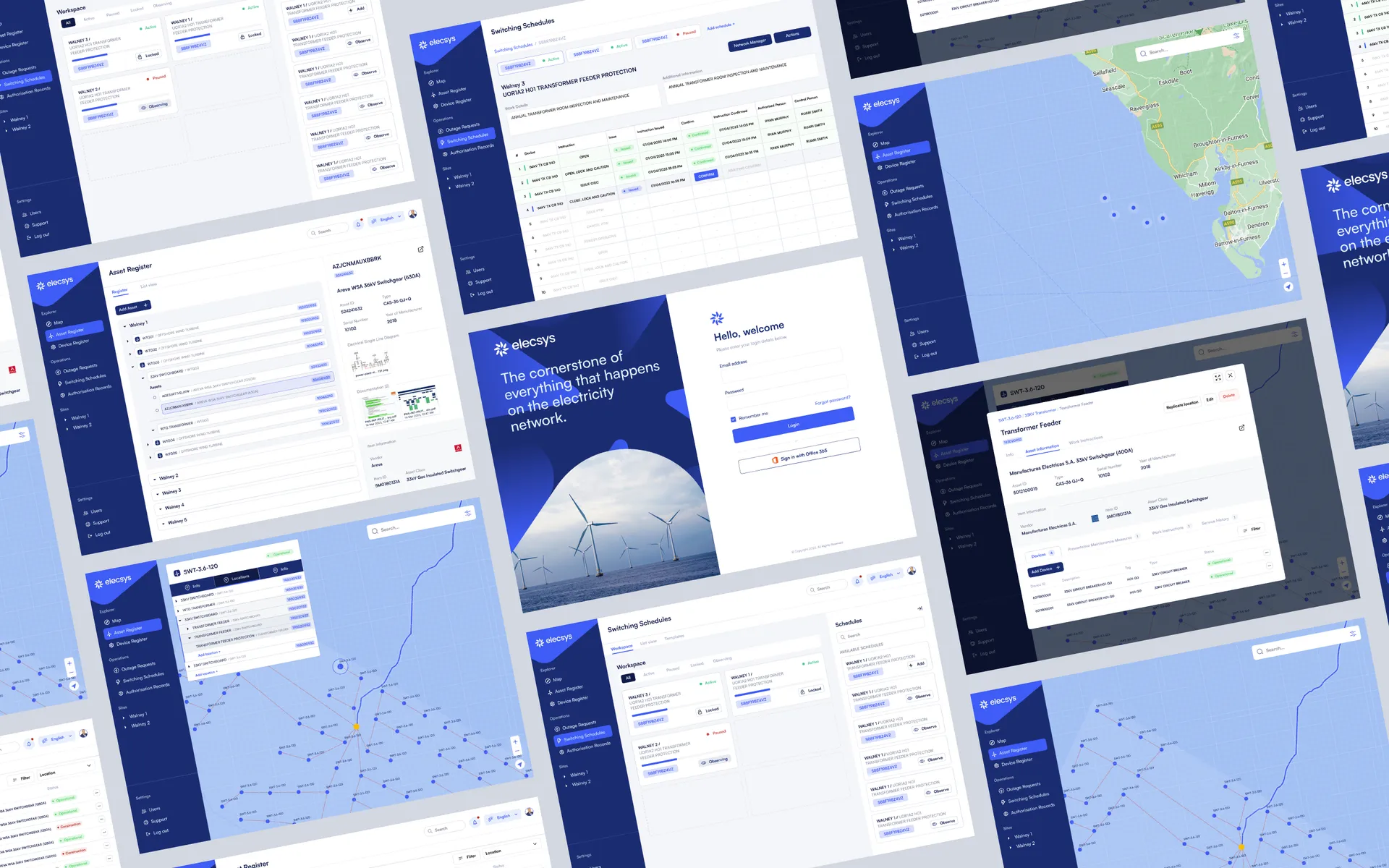
Instead of a member of staff triaging emails, copying data between tabs, and typing a reply, an agent can classify the enquiry, retrieve the relevant customer record, draft a response using your approved templates, and route edge cases to the right team member. We built exactly this kind of integration work for Elecsys, connecting disparate data sources into a single platform so that information flowed where it was needed without manual re-keying.
Weekly reporting
Pulling numbers from your CRM, website analytics, and project tracker into a Monday-morning summary is tedious but important. An agent queries each source via API, compiles the figures, flags anomalies, and delivers a formatted report to your inbox or Slack channel. This is often the quickest pilot to run because the stakes are low and the time savings are immediately visible.
If your pain point is less about AI and more about unifying the systems you already run, solving integration issues with custom software is often the first step.
Where do AI agents still fall short?
They're not magic, and treating them as such is the fastest route to a failed project. Gartner forecasts that over 40% of agentic AI projects will be cancelled by 2027 due to unclear ROI, rising costs or inadequate risk controls. That number deserves more attention than it gets. Most of those failures will be preventable, and most will stem from the same handful of mistakes.
The underlying language model can confidently generate information that is simply wrong. In a customer-facing process, that means sending an email with the wrong figure or an invented policy. Confidence scoring and human review thresholds aren't optional extras. They're load-bearing.
Without a clear stop condition, an agent can keep retrying a failed step indefinitely, burning through API calls and compute costs. Every process needs explicit guardrails: maximum retries, timeout limits, fallback actions.
If your agent sends customer data to a third-party model provider without proper controls, you may breach UK data-protection rules. The ICO's guidance on automated decision-making applies here. You need to know exactly where personal data is processed and stored.
Starting with "automate everything" almost guarantees failure. The pilots that work are scoped to a single, well-understood process with measurable outcomes.
We design our AI automation builds with validation and confidence scoring baked in from the start. Low-confidence outputs go to human review rather than being sent blindly. That governance-first approach is what separates a useful pilot from an expensive experiment.
How do you pilot an AI agent without rebuilding your systems?
You don't need to rip out your existing tools. The goal is to layer intelligence on top of what you already have, prove value quickly, and expand only when the numbers justify it.
Choose something repetitive, rule-based, and measurable. Invoice reminders, enquiry triage, or data consolidation are good candidates. Avoid anything that requires nuanced human judgement on every step.
Write down exactly what a person does today, which systems they touch, and where they make decisions. This becomes the agent's playbook.
Check whether your CRM, accounting tool, or email platform has an API. Most modern SaaS products do. If not, lightweight middleware or a custom adapter can bridge the gap. We connect CRMs, ERPs, and legacy platforms via APIs and custom adapters rather than forcing a migration.
Define success metrics before you build. Hours saved per week, error rate, response time. If you can't measure it, you can't prove it worked.
Let the agent process real tasks but hold its outputs for human review before anything is sent or actioned. This shadow-mode period builds trust and catches edge cases early.
Set guardrails. Maximum retries, confidence thresholds for escalation, data-handling rules, and a kill switch.
Review after a fixed period. Two to four weeks is usually enough to know whether the pilot is worth scaling. If the metrics are positive, expand. If not, you've learned something valuable at low cost.
We take a phased approach: scoping tightly, building in stages, and letting the team see and sign off progress rather than delivering a big-bang system.
If your needs go beyond a single process and you're weighing up a broader bespoke build, our guide on custom software for SMEs covers how to keep that affordable and practical.
AI-driven processes aren't right for every task or every business. But for SMEs drowning in repetitive, multi-step admin, a well-scoped pilot can free up real hours in real weeks without a six-figure budget. Our engagements start with a discovery call and an exploration phase before any code is written, so you get clarity on scope, cost, and expected outcomes before committing. Get in touch with our team to discuss a pilot scoped around how your business actually runs.
Frequently asked questions
What is an agentic workflow?
An agentic workflow is an AI-driven process that carries out multi-step tasks on your behalf rather than just answering a question. It can read data, make decisions against rules you set, take actions across different systems, and loop back to check results, all with minimal human input.
How is an agentic workflow different from a chatbot?
A chatbot responds to one prompt at a time and waits for your next instruction. An agentic workflow chains multiple steps together autonomously: it can look up data, decide what to do, act on that decision and verify the outcome, all from a single trigger.
Can a small business actually use AI agents?
Yes. Mid-market and SMB companies are growing their agentic AI adoption faster than large enterprises. A small business can start with a single, well-scoped workflow like invoice chasing or enquiry triage, piloting it alongside existing tools via APIs before committing to anything larger.
What can go wrong with agentic AI?
Common failure modes include hallucinated outputs, runaway actions where the agent loops without a stop condition, data leakage to third-party model providers, and unclear ROI. Gartner forecasts that over 40% of agentic AI projects will be cancelled by 2027 due to these issues.
How do I pilot an AI agent without rebuilding my systems?
Start by picking one repetitive, rule-based task. Connect the agent to your existing tools through APIs or lightweight middleware rather than replacing anything. Run it in shadow mode alongside a human, measure time saved, and only expand once you trust the outputs.
How much does an agentic workflow pilot typically cost?
Costs vary widely depending on scope, but a focused pilot on a single workflow typically runs over a matter of weeks with a modest budget. The key is scoping tightly: one process, one integration, clear success metrics. That keeps spend predictable before you decide whether to scale.
Do agentic workflows risk breaking data protection rules?
They can if you are not careful. The ICO's guidance on automated decision-making applies whenever an agent acts on personal data without human review. You need to know where data is processed, whether it leaves the UK, and whether affected individuals have the right to challenge a decision.