A lot of consideration, planning, skill, and hard work goes into building and launching a successful app and, while we’re experts in the field of mobile app development, we’d be lying if we didn’t admit that using the right tools is central to our success. In this article, we discuss the best mobile app development software and tools that we think are worth using, and considerations to factor in to help you decide on the right software for your needs.
How Do You Choose the Right Mobile App Development Software?
Every app will have different requirements in terms of app-building frameworks and software. Whether you’ve decided to outsource, asked all the right questions, and chosen an app development company to work with, or you have a good idea of the basics and are planning to go it alone, there are some essential components of the development process that you should factor in before deciding what mobile app development tools you’ll utilise to begin build.
1. Budget
Of course, your budget will be central to your choice of mobile app development software. Factor in all the costs of app development, including the design, development and ongoing support and maintenance of the app once it’s live. These can bring significant costs, so ensure that you get a good grasp on scope and costs ahead of time if budget is a ket concern. Being transparent with your budget can also enable a trusted partner to make recommendations on what is feasible and be creative with development techniques prioritisation of features etc to get the most out of your initial investment as possible.
2. Timeframe
A late app launch that misses the marketing boat and takes longer to reach your target market is not ideal. However, while there are plenty of low-code and no-code software solutions out there that promise fast turnaround, make sure you’re being realistic about what to expect from your project and how long a high-quality product with good design will take to complete rather than settle for a rush-job that kept costs down temporarily.
3. Usability
The best technology for mobile app development is easy to navigate. The user interface of your chosen app builder if selecting a low-code or no-code solution should be efficient and straightforward, particularly if you are self developing non-technical team. Ensure you understand the potential as well as the limitations of the platform.
Also, factor in whether your mobile app development software has functionality for collaboration and multiple users to ensure your whole team can work simultaneously for efficient development.
When taking a coded approach utilising React Native, Flutter etc usability should be considered in the initial design. Selecting a development partner with strong UX design capability is key to the success of the project long term and minimisation of redesign and development of the front end.
4. Security
The future of mobile app development will see a focus on in-app security for users, and this doesn’t exclude keeping the development process secure, too. Your chosen software should offer a range of built-in security features to protect your app throughout the development process and once it’s gone live, so your product is kept safe.
5. Integration
The best mobile app development software and tools offer accessibility and smooth integration with third-party systems, tools, and services that you already utilise. Integration’s essential to front and back-end aspects of your app, so make sure you choose a development tool that improves functionality for the builder and the user, and that it works seamlessly with other tools.

Image Source: www.unsplash.com
Our Pick of the Best Technology for Mobile App Development
Appery.io
A strong contender for the best technology for mobile app development, Appery is based on cloud technology and enables you to build multiple apps from the same base. This allows for efficient, flexible deployment. Appery is also one of the more popular mobile web app development tools, with the option to develop PWAs easily, too.
Buddy
Buddy offers a user-friendly web and app-building platform ideal for deploying various types of mobile apps using its pre-configured systems, speeding up the development process. A key benefit of Buddy as a mobile app development tool is app testing for iOS and Android as part of its service. It also supports several key mobile app tech stacks and programming languages, including Flutter, Cordova, React Native, Python, and more.
Appy Pie
Formerly AppMakr, Appy Pie is perhaps one of the most popular mobile app development tools without coding. Offering a straightforward drag-and-drop interface that’s beginner-friendly, Appy Pie is a quick, affordable no-code solution. Follow their simple process by selecting a design, personalising it, adding the features your app requires, and then publish it on app marketplaces smoothly. Benefits include the choice to add extra functions, including AI, chatbots, AR, and VR as required. For a no-code solution, Appy Pie is one of the best mobile app development tools for beginners because it offers a suite of training videos as part of its in-built learning platform.
Appian
Appian boasts that developing an app with their low-code software can take as little as eight weeks, making them one of the more popular mobile app development tools without coding significantly adding to the length of your development timeline. Their target market includes companies looking to consolidate and present data in useful, accessible ways. Appian software specialises in using AI and automotive processes to achieve this, and it’s widely regarded as efficient.
Zoho Creator
Zoho Creator offers a simple, low-code app development solution that’s easy to use and highly customisable, producing functional cross-platform mobile apps suitable for internal business solutions as well as user-friendly apps for the wider market. This mobile app development software is useful for data integration, linking with popular tools, including Google Workspace, quickbooks, and PayPal, while offering developers real-time conversion analytics. It’s even possible to add in AI mobile app functions without coding.
Ionic
Ionic describes itself as ‘An open source mobile UI toolkit for building modern, high quality cross-platform mobile apps from a single code base’ including React, Angular, and Vue, and it’s popular in the mobile app development field for a reason. Based in the Sass CSS language for cross-platform app development, Ionic offers an extensive library, including mobile-optimised HTML and JS CSS components. Our favourite development feature is the option to send app updates directly to users without third-party intervention, saving time and money.

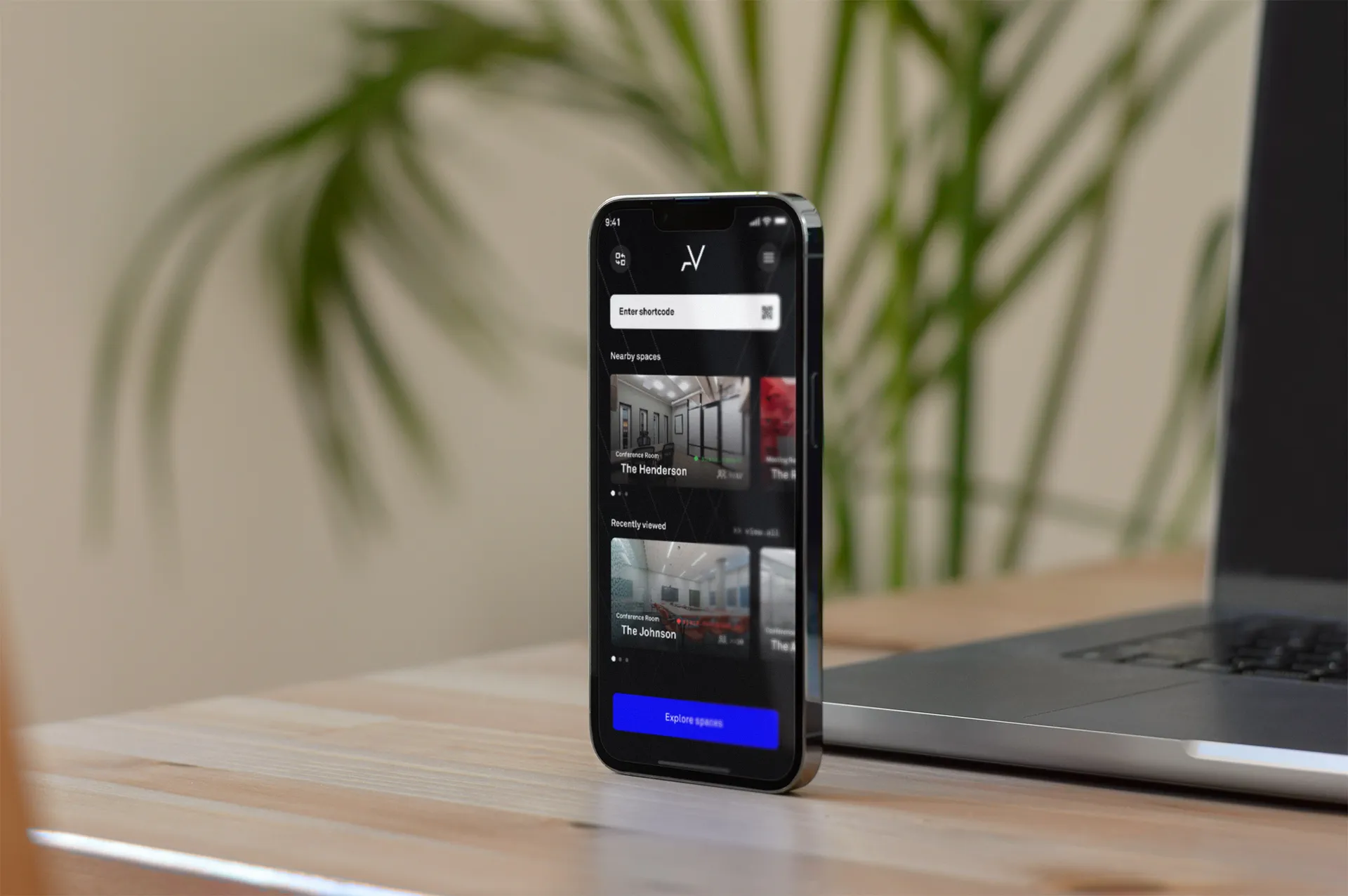
Image Source: Myth Digital
Xamarin
Backed by Microsoft, Xamarin has long been a popular choice among app developers, offering cloud-based, cross-platform, open-source solutions. It’s one of the most easy-to-use Windows, Android, and iOS mobile app development tools that’s equipped with a standardised user interface which enables code-sharing with multiple platforms for optimal functionality.
Why Outsource to a Mobile App Development Company?
We’re confident that the potential for increased revenue and brand awareness via a mobile app presents huge benefits for your transforming business or start-up. For these reasons alone, you might be itching to get going.
Our first piece of advice isn’t to rush into the process in a blind hurry the moment you think you’ve found a development tool that appeals. While it’s important to be aware of the trends and new software available, the best way to ensure success is to find an experienced, skilled mobile app development company to work with.
At Myth, our combined skill sets and years of experience using the very best technology for mobile app development set us in good stead to help you bring your idea into reality with lasting, measurable success.
Check out our work with QualiT and Papier for examples of the kind of successful mobile apps we develop, and get a glimpse of our exacting design standards in our work for Performa Sports and LifePass.
Get in touch to book a discovery session to found out more about how we can help you bring an exciting mobile app to the market for your brand.
Frequently asked questions
What should I consider before choosing mobile app development software?
Five things. Your budget, including design, development and ongoing support and maintenance once the app is live. Your timeframe, being realistic about how long a quality product takes. Usability of the platform for your team. Built-in security for both the development process and the live app. And smooth integration with the third-party systems and services you already use.
Are no-code app builders good for beginners?
They can be. Appy Pie, for example, offers a beginner-friendly drag-and-drop interface, a suite of training videos and a simple process of choosing a design, personalising it, adding features and publishing to app marketplaces. Be aware of each platform’s limitations, though, and be realistic about the quality and timescale you can expect.
What is the difference between Ionic and Xamarin?
Ionic is an open-source mobile UI toolkit for building cross-platform apps from a single code base using React, Angular or Vue, with an extensive library of mobile-optimised components. Xamarin is a Microsoft-backed, open-source, cross-platform option with a standardised user interface that enables code sharing across Windows, Android and iOS.
Should I build the app myself or outsource it?
Being aware of trends and new tools is useful, but the best way to ensure success is to work with an experienced, skilled mobile app development company. A trusted partner can advise on what is feasible for your budget, prioritise features creatively and bring strong UX design so you get the most from your initial investment.